
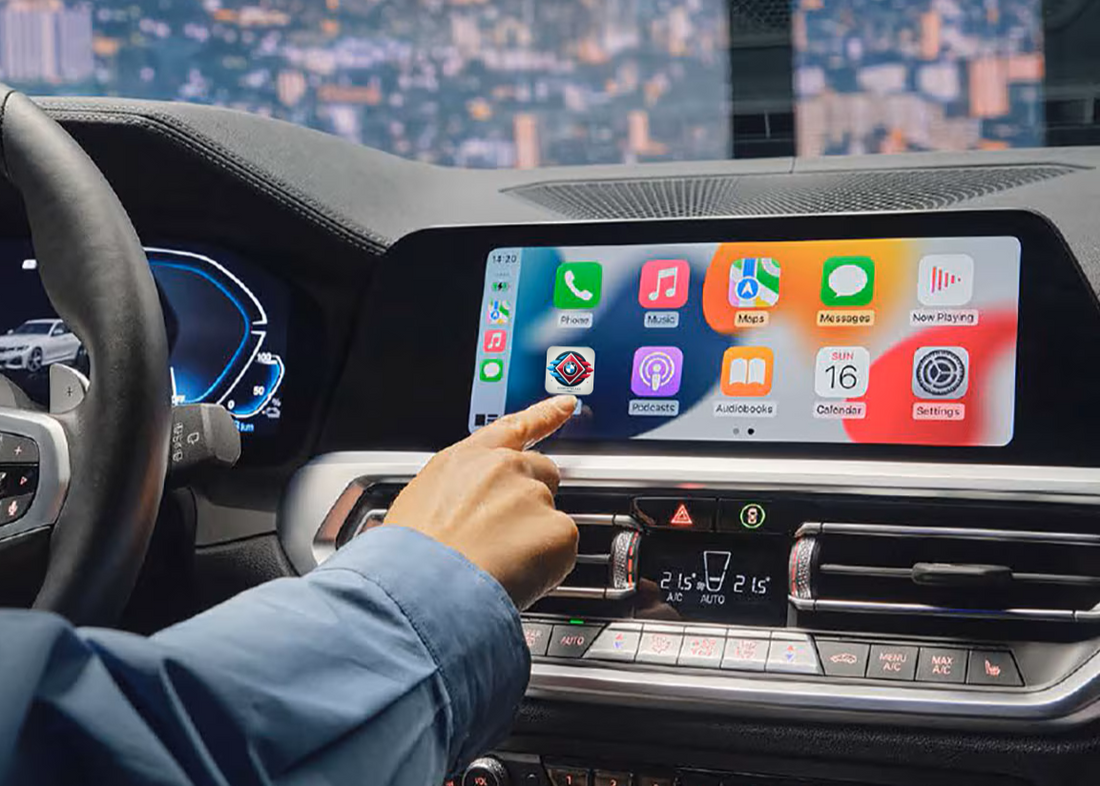
📱 Full Guide: How to Connect Your iPhone to BMW CarPlay
By BimmerTweaks Editorial TeamShare
BimmerTweaks Blog presents the ultimate guide for BMW owners — everything you need to know about connecting your iPhone to Apple CarPlay, troubleshooting issues, and pro tips to ensure a smooth experience 🚗💨.
🧭 What This Guide Covers
- 🔹 Wireless CarPlay (Wi-Fi) for BMW — step-by-step instructions
- 🔹 Common problems and how to fix them
- 🔹 Compatibility notes and pro tips
- 🔹 CarPlay activation for BMW (coding / FSC unlock) 💬
💬 Need Help Activating CarPlay?
Some BMW models require coding or FSC activation to enable Apple CarPlay. We can check compatibility and activate it remotely via a secure session. 📞 Contact us on WhatsApp to get started!
✅ Quick Checklist (Before You Start)
- 📲 iPhone updated to iOS 14+
- 🎙️ Siri enabled → Settings → Siri & Search
- ⚙️ CarPlay enabled on the car (factory or activated)
📶 Wireless CarPlay Setup (BMW, Most Common)
Wireless CarPlay uses the car’s Wi-Fi and Bluetooth to connect. Most modern BMW models support this method — provided the head unit includes Wi-Fi (WLAN) hardware and CarPlay is activated.
🚀 Step-by-Step Connection Guide
-
Enable Bluetooth, Wi-Fi, and Siri on your iPhone:
• Go to Settings → Bluetooth → ON 🔵
• Go to Settings → Wi-Fi → ON 📶
• Go to Settings → Siri & Search → enable Listen for “Hey Siri” and Press Side Button for Siri 🎙️ - On the iDrive: Open Connections → Mobile Devices → Bluetooth (menu names may vary). Choose Add New Device.
- Start pairing: select your car from the iPhone’s list and confirm on both screens.
- Compare the PIN displayed — accept on both devices.
- After pairing, go to Settings → General → CarPlay → Available Cars → select your BMW.
- Enable “Allow CarPlay While Locked”.
- Once done, tap the CarPlay icon in iDrive. It may take a few seconds to appear for the first time ⏳.
🧩 Troubleshooting – Common Problems & Fixes
❌ CarPlay Doesn’t Show Up
- ✅ Ensure CarPlay is activated — some BMWs require coding or FSC activation.
- 🔌 Try a different USB port or cable (use an Apple-certified one).
- 🔄 Restart both the iPhone and the iDrive unit (hold the power/volume button).
📡 Wireless Pairing Fails or Disconnects
- 📶 Check for WLAN hardware — some EntryNav units lack Wi-Fi antenna.
- 🧹 Forget and re-pair the device (both on iPhone and iDrive).
- 🚫 Disable other Bluetooth accessories nearby.
- ⬆️ Update both iOS and BMW firmware.
🎙️ Siri or Voice Commands Not Working
- Check Settings → Siri & Search and enable all Siri options.
- Allow microphone and CarPlay permissions while locked.
🎵 Music Drops or No Audio
- Check volume levels on both iPhone and iDrive.
- Ensure a strong wireless connection and avoid interference (metal cases, etc.).
💡 Compatibility Notes & Pro Tips
- 🧠 BMW head unit type matters: EVO, ID5/ID6, and MGU 7/8 all support CarPlay; EntryNav2 may need activation.
- 📡 Wireless requires Wi-Fi hardware — no WLAN = no wireless CarPlay.
- 🔌 Use the armrest USB port (charging ports won’t work for CarPlay).
- 🔓 Unlock iPhone and approve prompts during the first connection.
- 📱 Keep iOS up-to-date for best compatibility.
🧰 Advanced Troubleshooting (If Nothing Works)
- 🔁 Reset iPhone network settings → Settings → General → Reset → Reset Network Settings.
- 🆙 Check for software updates (both iOS and iDrive firmware).
- 📞 Try another iPhone to isolate the issue.
- ⚠️ As a last resort, factory reset the iDrive unit (consult your dealer first).
❓ FAQ
Q: My BMW doesn’t have CarPlay option in the menus — why?
A: Your unit may not have CarPlay enabled or the necessary hardware. Some models need activation via Feature Installer or coding.
Q: Can I use BMW navigation and CarPlay together?
A: Yes — depending on your iDrive version, BMW navigation can run alongside CarPlay apps like Google Maps or Waze.
💬 Need Help Activating CarPlay?
Some BMW models require coding or FSC activation to enable Apple CarPlay. We can check compatibility and activate it remotely via a secure session. 📞 Contact us on WhatsApp to get started!